Hook Introduction: The Instagram Caption Formula That Saves You 30 Minutes a Post
You know the feeling: you edit the Reel, pick the cover, the post is basically ready… and then you hit the caption box and your brain goes blank.
Jump to a section:
- Hook Introduction: The Instagram Caption Formula That Saves You 30 Minutes a Post
- Quick Answer Box: What an “Instagram Caption Formula” Is (and Who Should Use It)
- The Real Problem: Why Captions Feel Hard (Even When You Know What to Post)
- How to Use These Templates (So They Don’t Sound Like Templates)
- Template Group 1: “Stop-the-Scroll” Hook + Value Captions (Best for Reels & Carousels)
- Template Group 2: Authority + Trust Captions (Without Sounding Cringe)
- Template Group 3: Engagement Captions That Generate Comments (and Still Fit Your Brand)
- Template Group 4: Soft-Sell Captions for Services & Products (CTAs That Don’t Scare Beginners)
- 6 Mistakes That Kill Your Results With Caption Templates
- Manual vs. Repeatable Output: The Real Challenge Is Consistency at Scale
- FAQ: Instagram Caption Formula Questions Beginners Ask
- Closing Summary: Your 10-Minute Caption System (Pick, Fill, Post, Repeat)
That’s why an Instagram Caption Formula is the fastest “beginner upgrade” I know. It kills decision fatigue. It stops you from rewriting the first line 14 times. And it keeps you posting even when your creative tank is empty.
Here’s the thing. Most good captions follow the same skeleton: hook → value → proof → action. The hook earns the pause. The value makes it worth reading. The proof makes you believable (without being cringe). And the action tells people what to do next.
If you’re a beginner, this matters even more because you’re usually trying not to sound salesy… while still wanting results. Templates give you structure so your personality can show up without you staring at a blank screen for half an hour.
Quick Answer Box: What an “Instagram Caption Formula” Is (and Who Should Use It)
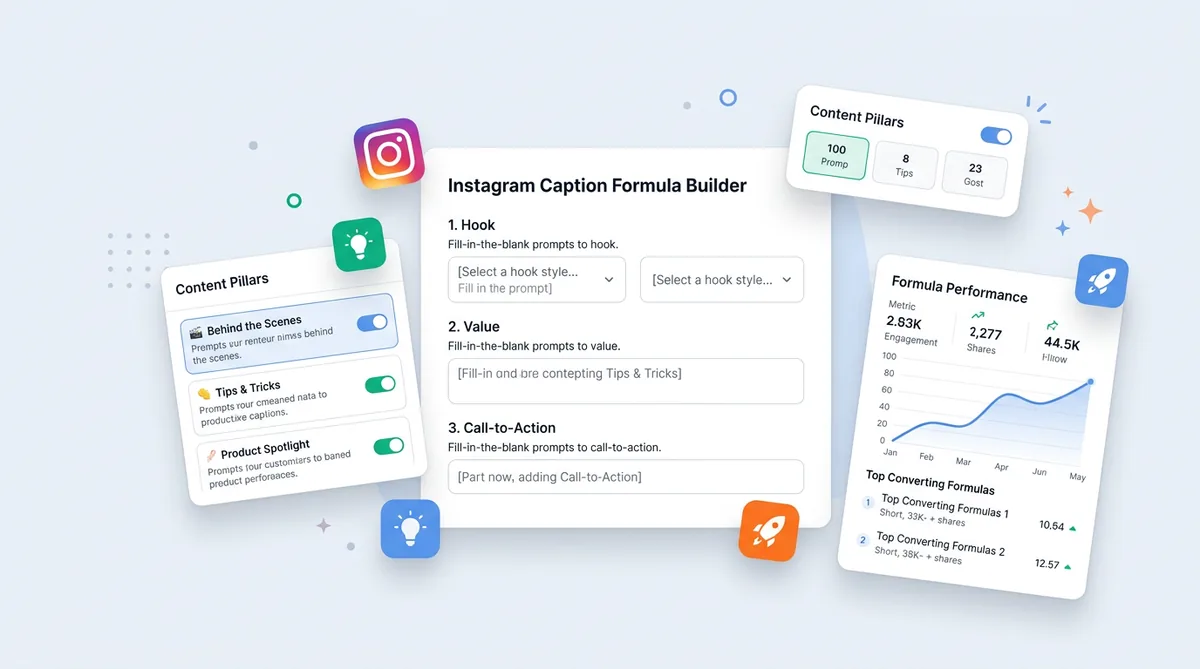
Instagram Caption Formula for Beginners: Fill-in Prompts
An Instagram Caption Formula is a fill-in-the-blank caption prompt you copy/paste, customize in minutes, and reuse for different posts. It’s perfect for beginners, small businesses, service pros, and creators posting Reels, carousels, before/after, or launches. Best results come from swapping in your real voice, numbers, and specifics.
The Real Problem: Why Captions Feel Hard (Even When You Know What to Post)
Most creators don’t struggle with “ideas.” They struggle with finishing.
Captions are where you start overthinking: Should I be funny or helpful? Do I tell my story or teach? Do I ask for a comment or a save? What if I sound like I’m trying too hard?
Imagine you spent an hour on a carousel. It gets 12 likes. No saves. No DMs. Your brain decides, “Captions don’t matter.”
Not even close.
Captions are how you direct attention. People scan. They don’t read like it’s a novel. A solid first line buys you an extra second. Extra seconds turn into more dwell time, saves, shares, and profile taps… which are the signals Instagram actually cares about.
If you need help specifying your caption for different platforms, you can use SocialCal's AI caption writer and schedule your content in advance.
How to Use These Templates (So They Don’t Sound Like Templates)
Instagram Caption Formula for Beginners: Fill-in Prompts
Copy/paste is fine. Sounding copy/paste is the problem.
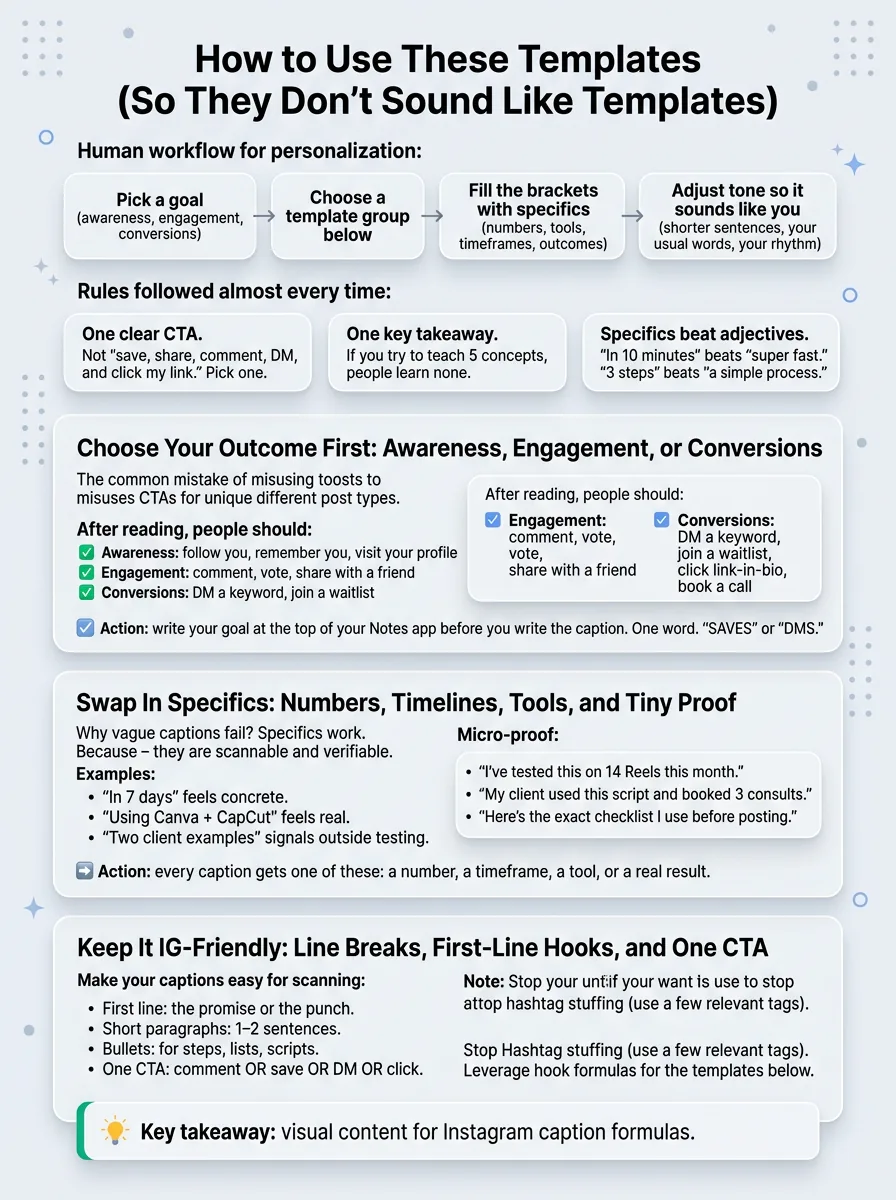
Here’s the workflow that keeps it human:
Key takeaways at a glance
- 1. Pick a goal
(awareness, engagement, conversions).
- 2. Choose a template group
below.
- 3. Fill the brackets
with specifics (numbers, tools, timeframes, outcomes).
- 4. Adjust tone
so it sounds like you (shorter sentences, your usual words, your rhythm).
Rules I follow almost every time:
- One clear CTA
. Not “save, share, comment, DM, and click my link.” Pick one.
- One key takeaway
. If you try to teach 5 concepts, people learn none.
- Specifics beat adjectives
. “In 10 minutes” beats “super fast.” “3 steps” beats “a simple process.”
Choose Your Outcome First: Awareness, Engagement, or Conversions
This is where most people mess up. They use a “DM me” caption on a post that should’ve been save-worthy education… then wonder why nobody DMs.
Quick checklist: after reading this caption, you want people to…
- Awareness
follow you, remember you, visit your profile.
- Engagement
comment, vote, share with a friend.
- Conversions
DM a keyword, join a waitlist, click link-in-bio, book a call.
Action step: write your goal at the top of your Notes app before you write the caption. One word. “SAVES” or “DMS.”
Swap In Specifics: Numbers, Timelines, Tools, and Tiny Proof
Vague captions get vague results. “This changed my business” is basically invisible because it doesn’t give the brain anything to grab.
Specifics work because they’re scannable and verifiable. “In 7 days” feels concrete. “Using Canva + CapCut” feels real. “Two client examples” signals you’ve done it outside your own account.
Micro-proof doesn’t have to be loud. It can be:
“I’ve tested this on 14 Reels this month.”
“My client used this script and booked 3 consults.”
“Here’s the exact checklist I use before posting.”
Action step: every caption gets one of these: a number, a timeframe, a tool, or a real result.
Keep It IG-Friendly: Line Breaks, First-Line Hooks, and One CTA
Instagram is a scanning app. Your caption needs to look easy.
- First line
the promise or the punch.
- Short paragraphs
1–2 sentences.
- Bullets
for steps, lists, scripts.
- One CTA
comment OR save OR DM OR click.
Also: stop hashtag stuffing like it’s 2018. A few relevant tags are fine, but 25 random ones won’t save a weak hook.
If your first lines are the bottleneck, steal a few from these hook formulas and plug them into the templates below.
Template Group 1: “Stop-the-Scroll” Hook + Value Captions (Best for Reels & Carousels)
Mechanism: your first line is competing with thumbs. A good hook creates a curiosity gap (“wait, how?”) or a clear promise (“you’ll get X”). Then the value delivers quickly, which drives saves and rewatches.
Use these when the post itself is the teaching (tutorial Reel, tips carousel, checklist graphic).
Curiosity Hooks: Make Them Think “Wait… How?”
- Template
“I stopped doing [common thing] and [result]. Here’s what I do instead: (1) [step] (2) [step] (3) [step].”
- Fitness coach example
“I stopped ‘going harder’ and started getting leaner. Here’s what I do instead: (1) 8–10k steps/day (2) protein at every meal (3) 3 strength days, not 6.”
- Skincare brand example
“I stopped chasing ‘glowy’ and started fixing my barrier. Try this instead: (1) gentle cleanse (2) ceramide moisturizer (3) SPF daily for 14 days.”
- SaaS example
“I stopped writing long onboarding emails and activation went up. New flow: (1) 1 goal per email (2) 1 GIF (3) 1 click.”
- Realtor example
“I stopped telling buyers to ‘wait for rates’ and started getting them deals. The play: (1) seller credits (2) targeted listings (3) faster inspection window.”
- Template
“Most people think [belief]. The faster path is [specific action]. Do this today: [2 bullets].”
- Café example
“Most people think iced coffee is ‘just cold coffee.’ The faster path is brewing for the drink. Do this today: use a darker roast + chill it fast over ice.”
Action step: pick one pain point your audience complains about and write a first line that pokes it.
Problem → Fix Hooks: Call Out the Mistake, Then Give the Shortcut
- Template
“If you’re [struggling], you’re probably doing [mistake]. Try this instead: [fix] + [why it works].”
- Busy beginner (fitness)
“If you’re not seeing results, you’re probably changing workouts every week. Try this instead: repeat the same plan for 4 weeks so you can add reps/weight and actually progress.”
- Budget-conscious buyer (real estate)
“If you keep losing offers, you’re probably competing on price only. Try this instead: offer flexibility on closing date + inspection structure that feels safer to the seller.”
- Founder (SaaS)
“If your demo no-shows are high, you’re probably sending a ‘see you then’ email. Try this instead: send a 30-sec Loom with the agenda so they show up curious.”
- Template
“Stop doing [thing]. Start doing [thing]. The difference is [mechanism].”
- Skincare example
“Stop layering 6 actives. Start doing 1 active + consistent SPF. The difference is irritation vs. consistency.”
Action step: name the mistake in plain language. If it feels a little too direct, you’re probably close.
Numbered Value Hooks: “3 Ways,” “5 Steps,” “2 Scripts”
- Template
“3 ways to [desired outcome] in [timeframe]: (1) [tip] (2) [tip] (3) [tip].”
- Realtor example
“3 ways to make your listing photos look expensive in 20 minutes: (1) open every blind (2) remove countertop clutter (3) add one plant + one lamp.”
- SaaS example
“3 ways to increase trial-to-paid this week: (1) shorten first success path (2) add in-app checklist (3) email the ‘one feature’ people should try first.”
- Café example
“3 ways to order like a regular: (1) ask for the single-origin (2) try oat cortado (3) get the pastry warmed.”
- Template
“2 scripts you can steal for [situation]: Script #1: ‘[script]’ Script #2: ‘[script]’”
- Service provider example
“2 scripts for raising prices: Script #1: ‘New rates start [date]. Existing clients keep current pricing until [date].’ Script #2: ‘Here’s what’s included now: [3 bullets].’”
Action step: build 5 “numbered” posts in a row. They’re ridiculously saveable when the tips are specific.
Template Group 2: Authority + Trust Captions (Without Sounding Cringe)
Mechanism: people don’t buy from “best.” They buy from clear. Authority captions work when they show receipts, process, and thinking—not bragging. You’re basically removing risk and answering objections before they’re typed.
Mini Case Study Captions: Result + What Changed
- Template
“Result: [specific outcome]. What we changed: [1–3 changes]. Why it worked: [mechanism]. If you’re trying to [goal], copy this: [one step].”
- Fitness coach
“Result: -6 lbs in 4 weeks (without cutting carbs). What we changed: 130g protein/day, 3 full-body sessions, 8k steps. Why it worked: consistency beats intensity. Copy this: track protein for 7 days first.”
- Designer/agency
“Result: landing page conversion from 1.2% → 2.4%. What we changed: headline clarity, social proof above the fold, shorter form. Why it worked: less thinking = more clicks. Copy this: rewrite your headline as ‘Get [outcome] without [pain].’”
- SaaS marketer
“Result: 18% more activations in 2 weeks. What we changed: a 3-step onboarding checklist + one ‘first win’ email. Why it worked: users need a path, not features. Copy this: pick one activation event and design everything around it.”
- Local business (café)
“Result: weekday mornings up 22% in a month. What we changed: faster pickup shelf + one rotating ‘office hour’ special. Why it worked: convenience is a feature. Copy this: shorten your slowest step.”
Action step: screenshot one real result (even a small one) and write the caption like a teardown.
Behind-the-Scenes Captions: Your Process as the Product
- Template
“BTS: how I [do the thing]. Step 1: [tool/action]. Step 2: [decision]. Step 3: [check]. The part people skip: [teachable moment].”
- Creator example
“BTS: how I plan a week of Reels in 45 minutes. Step 1: pull 5 FAQs from DMs. Step 2: write 5 hooks first. Step 3: batch film in one outfit. The part people skip: the hook is the content.”
- Skincare brand example
“BTS: how we test a new moisturizer. Step 1: check ingredient compatibility. Step 2: stability test. Step 3: feedback from 12 testers. The part people skip: irritation usually comes from mixing actives, not one product.”
Action step: show one decision you made (and why). People trust thinking more than polish.
Myth vs. Reality Captions: Reframe a Common Belief
- Template
“Myth: [common belief]. Reality: [truth]. What to do instead: [2–3 bullets].”
- Skincare
“Myth: you need a 10-step routine. Reality: consistency + barrier care wins. Do this instead: gentle cleanser, moisturizer, SPF.”
- Real estate
“Myth: spring is the only time to buy. Reality: off-season can mean less competition. Do this instead: shop during slower months + negotiate harder.”
- SaaS onboarding
“Myth: more tooltips = better onboarding. Reality: fewer steps = faster activation. Do this instead: one checklist + one ‘first win’ moment.”
- Nutrition
“Myth: you need to cut carbs to lose fat. Reality: calorie control + protein + steps. Do this instead: build meals around protein first.”
Action step: pick a myth your audience repeats and write the “reality” as one sharp sentence.
Template Group 3: Engagement Captions That Generate Comments (and Still Fit Your Brand)
Mechanism: comments don’t just boost reach; they teach the algorithm who your content is for. But random engagement (“cute!” “lol!”) doesn’t help much. You want comments from ideal followers with real context.
Opinion Prompts: A Take That Sparks the Right Debate
- Template
“Hot take: [opinion]. This is for [who]. Not for [who]. If you’ve tried both, what worked for you?”
- Fitness coach
“Hot take: 10k steps beats another HIIT class. This is for busy beginners. Not for people training for performance. What moved the needle for you?”
- Skincare brand
“Hot take: ‘tingly’ doesn’t mean ‘working.’ This is for sensitive skin folks. Not for people tolerating strong retinoids well. Agree or disagree?”
- Realtor
“Hot take: the ‘perfect’ home is usually a money pit. This is for first-time buyers. Not for luxury buyers with renovation budgets. What would you trade: location or finishes?”
Action step: add guardrails (“this is for… not for…”) so the comments come from the right people.
“Choose Your Option” Prompts: A/B Decisions People Love to Answer
- Template
“Pick one: A) [option] B) [option]. I’d choose [your pick] because [reason]. What are you choosing?”
- Workout split
“Pick one: A) 3 full-body days B) 5-day bro split. I’d choose A because it’s easier to progress consistently. What are you choosing?”
- Website headline (agency)
“Pick one: A) ‘Grow faster with better ads’ B) ‘Get 20% more leads in 30 days with 3 ad tweaks.’ I’d choose B because it’s specific. A or B?”
- Latte flavor (café)
“Pick one: A) honey cinnamon latte B) vanilla oat latte. I’d choose A because it’s less sweet but still cozy. A or B?”
- Listing photo (realtor)
“Pick one cover photo: A) wide living room shot B) bright kitchen angle. I’d choose B because it sells lifestyle. A or B?”
Action step: make the options different enough. If A and B are basically the same, nobody cares.
Comment Keyword Captions: Turn One Word Into Leads (Without Being Spammy)
- Template
“Want my [resource]? Comment ‘[keyword]’ and I’ll send it. It includes: [1–2 bullets].”
- SaaS
“Want my onboarding checklist? Comment ‘ONBOARD’ and I’ll send it. It includes: the 3 activation events to track + the email sequence outline.”
- Coach
“Want my 7-day high-protein meal plan? Comment ‘MEALS’ and I’ll send it. It includes: grocery list + 10-minute recipes.”
- Realtor
“Want this weekend’s open house list? Comment ‘OPEN’ and I’ll send it. It includes: addresses + start times + my notes on parking.”
- Product brand
“Want a shade match guide? Comment ‘MATCH’ and I’ll send it. It includes: undertone tips + my top 3 picks for each.”
Action step: only do keyword comments when you have a real resource. If it’s just “I’ll DM you,” people smell the hustle.
Template Group 4: Soft-Sell Captions for Services & Products (CTAs That Don’t Scare Beginners)
Mechanism: the best sales captions don’t “pitch.” They connect the content to the offer as the next logical step. You’re lowering friction and giving people a clear path if they want help.
DM-First Captions: Invite a Conversation (Not a Hard Close)
- Template
“If you’re dealing with [problem], I can help. DM me ‘[keyword]’ and I’ll send [what they get] + tell you what I’d do first.”
- Agency
“If your ads are getting clicks but no leads, I can help. DM ‘AUDIT’ and I’ll send my ad teardown checklist + what I’d fix first.”
- Fitness trainer
“If you want a simple plan you’ll actually follow, DM ‘PLAN’ and I’ll send my 3-day template + how to pick your weights.”
- Coach/therapist
“If you’re stuck in the same stress loop, DM ‘CALM’ and I’ll send a 5-minute reset routine + how I teach it.”
- SaaS demo
“If you want to see how teams use [product] to [outcome], DM ‘DEMO’ and I’ll send a 2-minute walkthrough + pricing.”
Action step: tell them what happens after they DM. Uncertainty kills action.
Launch & Waitlist Captions: Clear Offer, Clear Deadline, Clear Next Step
- Template
“[Offer] is open until [date]. It’s for [who] who want [outcome] without [pain]. You’ll get: [3 bullets]. Want in? [CTA].”
- Course
“My Reels Editing Sprint is open until Friday. It’s for creators who want consistent videos without spending 2 hours per edit. You’ll get: CapCut presets, a 7-day plan, feedback prompts. Want in? Link in bio.”
- Product drop
“Our limited [product] restock is live until it sells out (last time: 36 hours). It’s for [who] who want [benefit] without [downside]. Want first dibs? Join the waitlist.”
- SaaS feature release
“New feature: [feature]. It’s for teams who want [outcome] without [old workflow]. Rolling out to all accounts by [date]. Want early access? DM ‘EARLY’.”
- Local event
“Workshop seats close Wednesday. It’s for [who] who want [outcome] in one afternoon. Want the schedule? Comment ‘INFO’.”
Action step: stop writing launch captions like a trailer. Write them like a helpful invite.
Before/After Captions: What Changed and How to Replicate It
- Template
“Before: [baseline]. After: [result]. What changed: [1–3 actions]. If you want to replicate it, start with [first step].”
- Skincare routine
“Before: constant redness + flaking. After: calmer skin in 21 days. What changed: removed acids, added ceramides, daily SPF. Start with: simplify for two weeks.”
- Home staging (realtor)
“Before: listing sat 19 days. After: under contract in 6. What changed: decluttered counters, brighter photos, priced to create competition. Start with: fix lighting first.”
- Ad creative (SaaS)
“Before: CTR 0.6%. After: 1.4%. What changed: clearer promise, shorter copy, one feature demo GIF. Start with: rewrite the first line.”
- Café menu photo
“Before: flat photos, low saves. After: saves doubled. What changed: window light, simple props, tighter crop. Start with: shoot at 10am near the window.”
Action step: always add the “what changed” line. Otherwise it’s just a flex post.
6 Mistakes That Kill Your Results With Caption Templates
Most creators copy/paste a template and still get low reach because they treat the caption like an afterthought. Templates are structure, not magic.
- Using the wrong template for the goal
you write an engagement caption on a sales post, then complain “my audience never buys.”
- Leaving placeholders vague
“grow your business fast” is skippable; “book 3 consults this week” gets attention.
- Mismatched voice
your Reels are chill, your caption sounds like a corporate newsletter. People feel the disconnect.
- Weak first line
if line one doesn’t promise something, the rest doesn’t matter.
- Too many CTAs
“save, share, comment, DM, link in bio” makes people do… nothing.
- Ignoring audience context/objections
beginners need “simple + doable,” not “optimize your funnel.” Buyers need reassurance (timeline, budget, what happens next).
Quick self-audit: can a stranger read your first line and instantly know who it’s for and what they’ll get?
Manual vs. Repeatable Output: The Real Challenge Is Consistency at Scale
The real problem isn’t knowing what a good Instagram Caption Formula looks like. It’s producing enough quality variations consistently without spending an hour per post.
What actually works is building a tiny “caption bank” you rotate:
5 hooks (curiosity, problem/fix, numbered)
5 value bodies (steps, checklist, scripts)
5 CTAs (save, comment, DM keyword, link-in-bio, share)
Track what hits: saves per reach for educational posts, comments per reach for engagement posts, DMs per reach for conversion posts. If you want a faster way to spin up options, the SocialOrbit Caption Generator is basically this workflow on autopilot—describe your post, pick Instagram + a tone, and it kicks back multiple caption options with hooks and CTAs you can tweak.
Start creating viral content today
Join other creators who've transformed their social media presence with AI-powered content.
Start creating nowMini-scenario: you write one strong carousel about “3 pricing mistakes.” That same core idea can become a Reel caption, a case study caption, and a DM-first caption with different CTAs. If you need help turning one idea into many posts, see how to repurpose one blog post into 15 social posts and steal that production rhythm.
FAQ: Instagram Caption Formula Questions Beginners Ask
How long should an Instagram caption be?
Long enough to deliver the promise, short enough to keep scanning easy. For most posts: 1 strong first line + 3–7 short lines works. Go longer when you’re telling a story or explaining steps, but keep it broken up.
Do hashtags still matter?
A little. Use a handful of relevant hashtags that actually describe your niche and post. Don’t rely on them for reach, and don’t clutter the caption with 25 tags if the hook is weak.
How many CTAs should I use?
One. If you want comments, ask for comments. If you want saves, ask for saves. Multiple CTAs split attention and usually lower action.
Do emojis matter in captions?
They’re optional. Emojis can help scanning (bullets, section breaks), but they won’t rescue unclear writing. If emojis don’t fit your brand voice, skip them.
Should I write different captions for Reels vs carousels vs photos?
Yes, slightly. Reels do well with punchy hooks + quick context because the video is doing the heavy lifting. Carousels can support more detail and benefit from “save this” CTAs. Photos often need more story or opinion to earn attention.
Write Captions That Get Engagement
Generate scroll-stopping captions that drive likes, comments, and shares.
Try Caption GeneratorClosing Summary: Your 10-Minute Caption System (Pick, Fill, Post, Repeat)
Pick a goal, choose an Instagram Caption Formula, swap in real specifics and micro-proof, format it for scanning, and use one CTA. Save the best ones into a swipe file, and your captions stop being the thing that blocks you.